
VOICEIT
- My role
- Product Designer
- Scope
- Survivor and expert apps, an admin dashboard, and a responsive website.
- Outcome
- A cohesive service design for anonymous reporting, emergency support, and access to verified experts.
Product Design
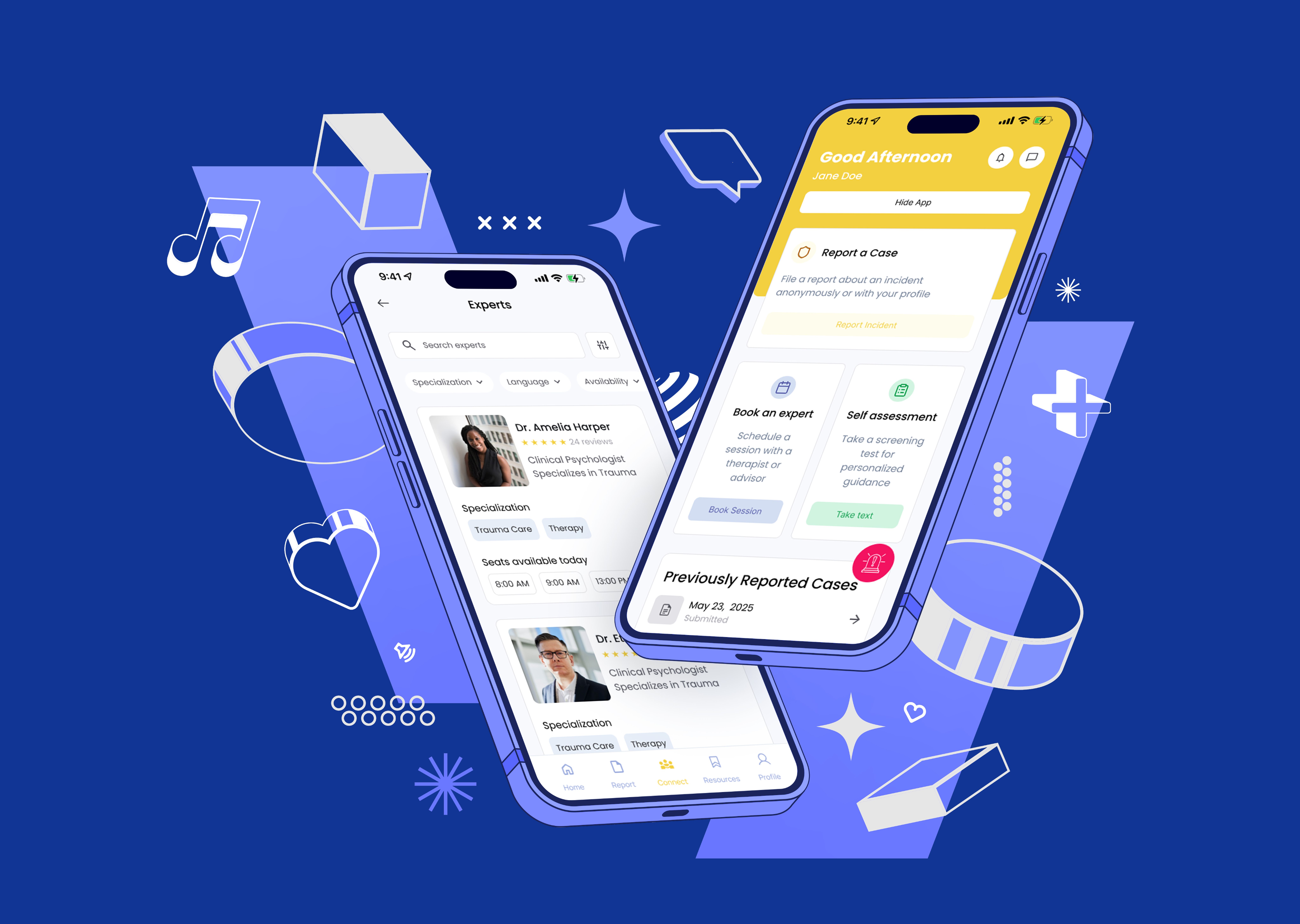
VoiceIt is a secure, trauma-informed ecosystem built to help survivors of crisis and abuse report incidents anonymously, trigger emergency alerts, and connect with verified experts.
Credits
Lennox Koko
Product Designer
The Problem (The Realities)
- Fear of Exposure: Survivors are hesitant to report incidents because they fear their identity will be leaked.
- Cognitive Overload: In high-stress situations, people cannot fill out long, complex forms or search for phone numbers.
- The Trust Deficit: How does a survivor know the counselor or therapist they are talking to is licensed, safe, and professional?

The Solution: A Cohesive 4-Part Ecosystem
Instead of just designing an app, I designed a connected service that supports every actor in the safety net:
- Survivor Mobile App: Built for absolute safety, quick reporting, and private assessments.
- Expert Mobile App: Built for therapists and advisors to manage bookings, consult securely, and submit licenses.
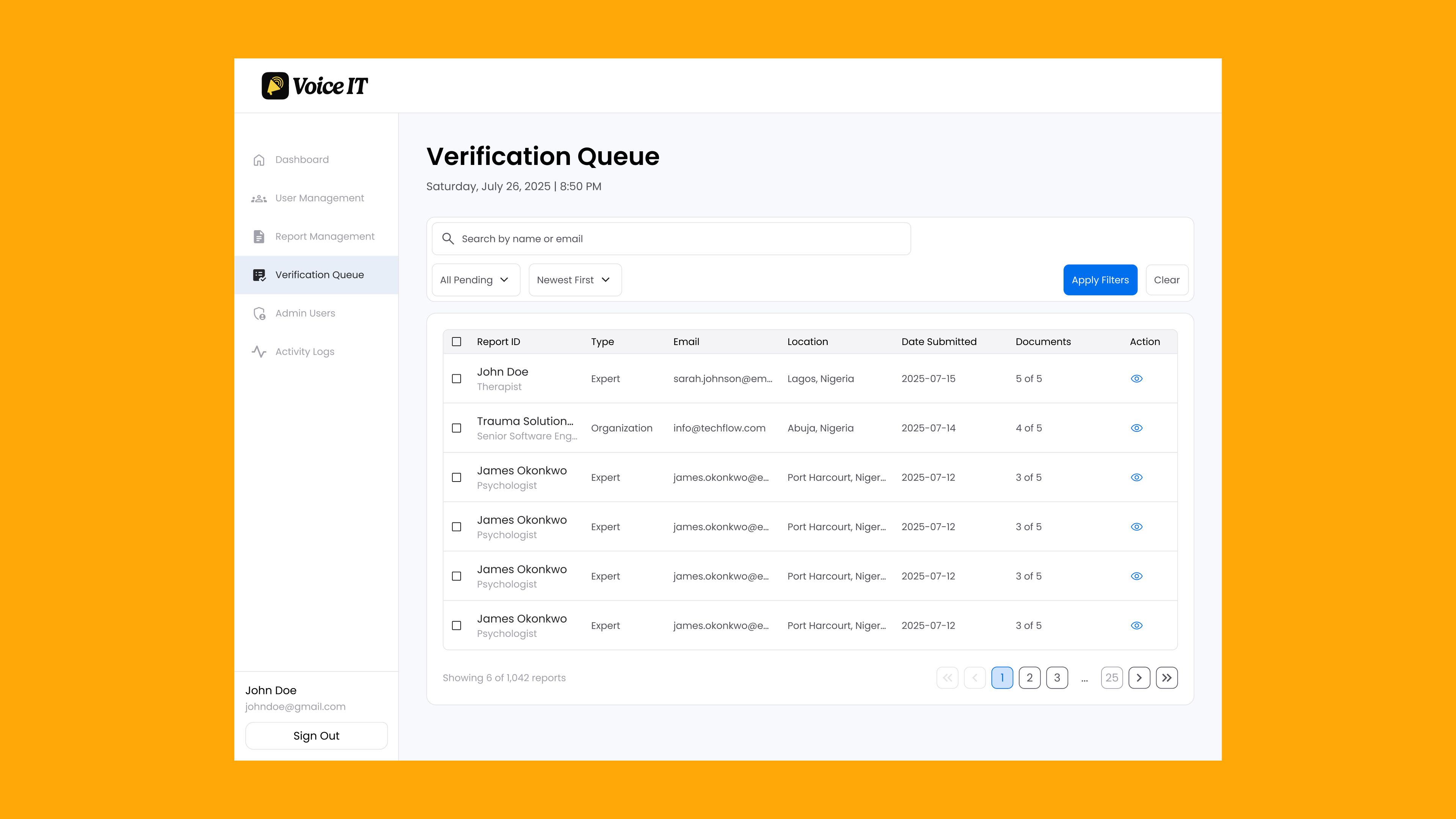
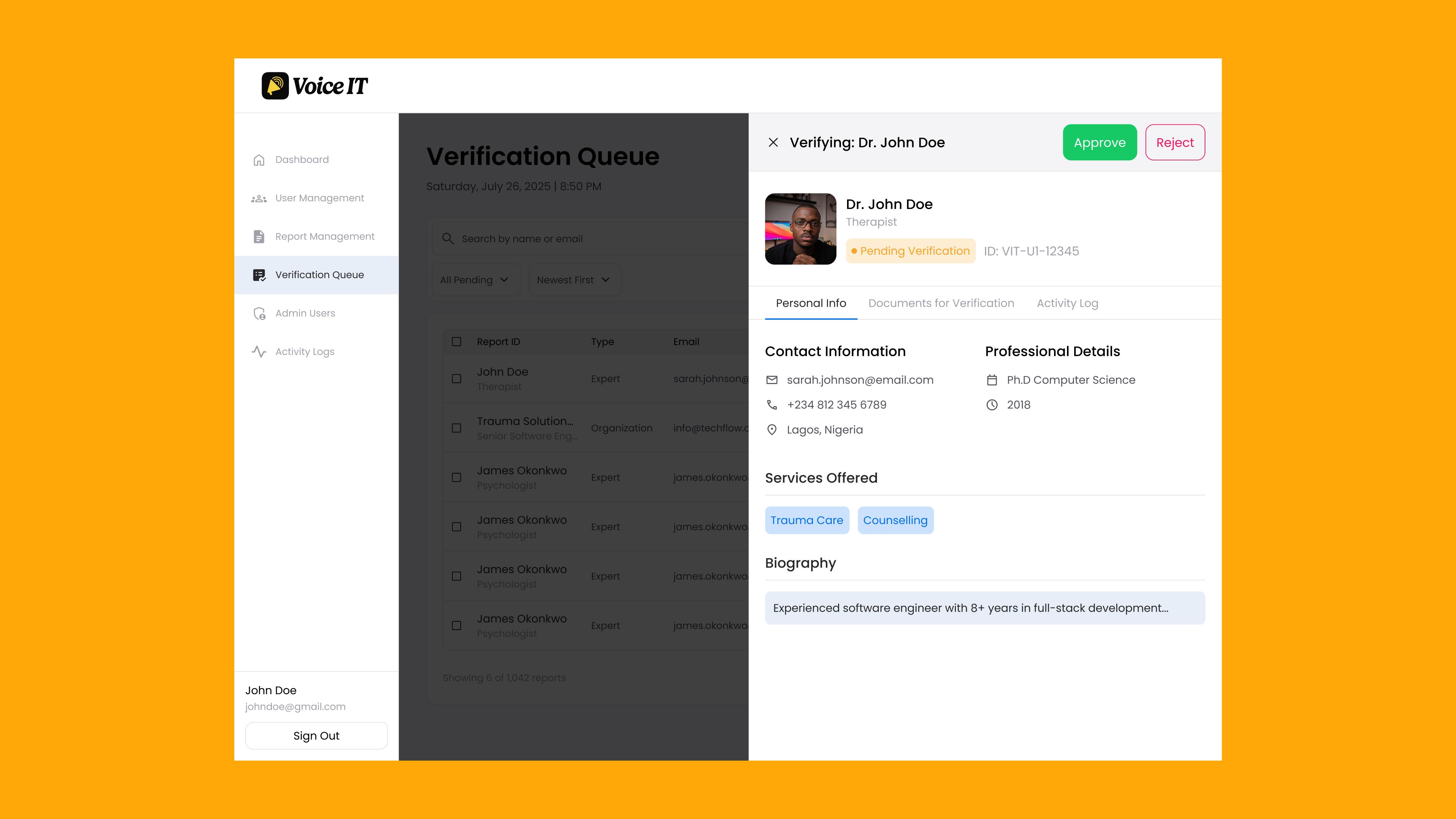
- Admin Web Dashboard: Built for operators to verify experts, manage incident queues, and monitor system security.
- Responsive Website: Built for the public to access educational resources, services, and read case studies.

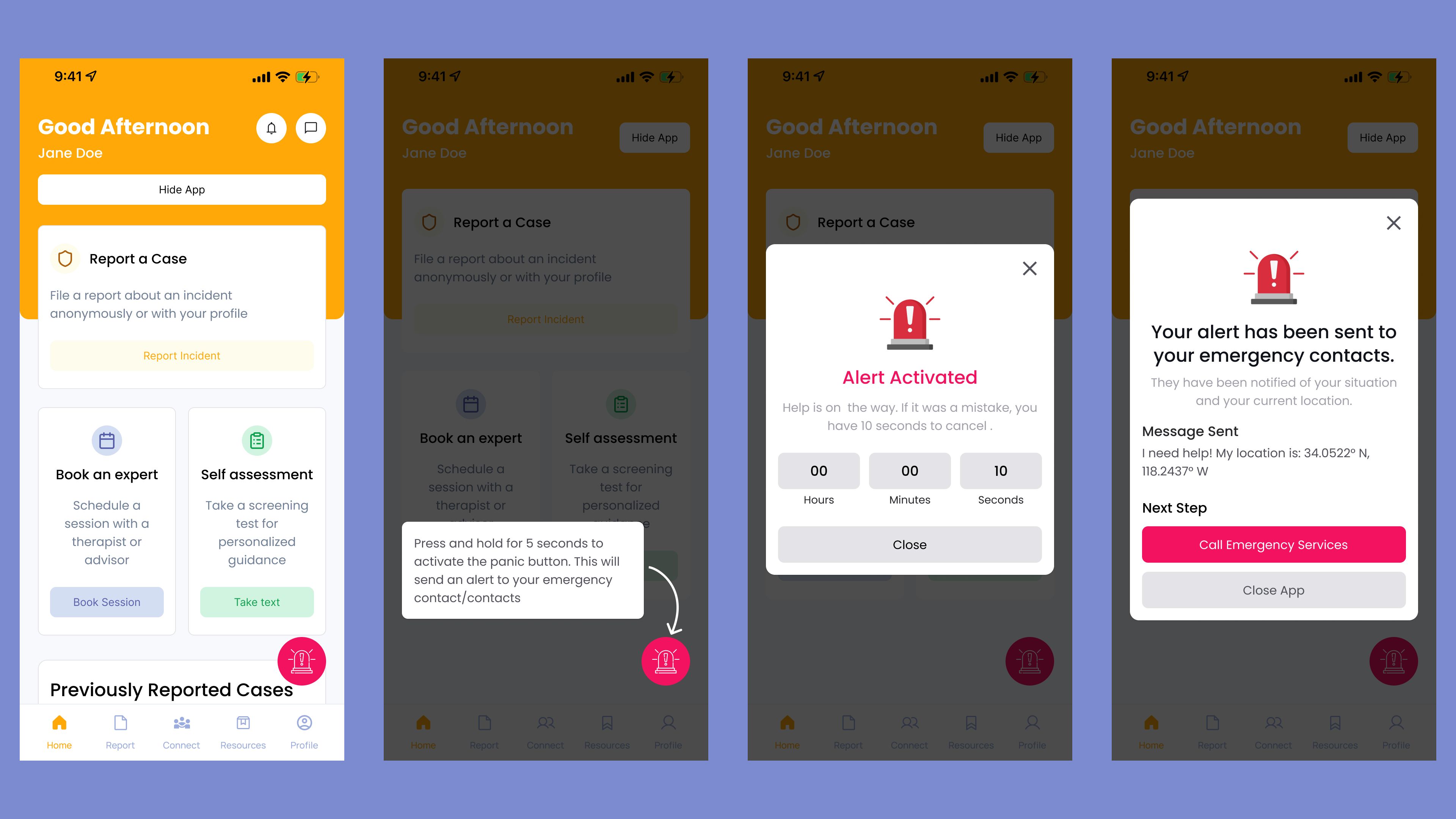
One-Tap Emergency Support (The Panic Button)
- The UX Challenge: A user in immediate danger has seconds to act.
- The Design: A large, central Panic Alert button. Tapping it starts a 10-second cancel countdown. If not canceled, it automatically broadcasts the user’s exact location (34.0522° N, 118.2437° W) to their emergency contacts.
- The Product Decision: The countdown prevents false alarms, while the instant location sharing acts as a silent lifeline.
Progressive Incident Reporting (Frictionless Forms)
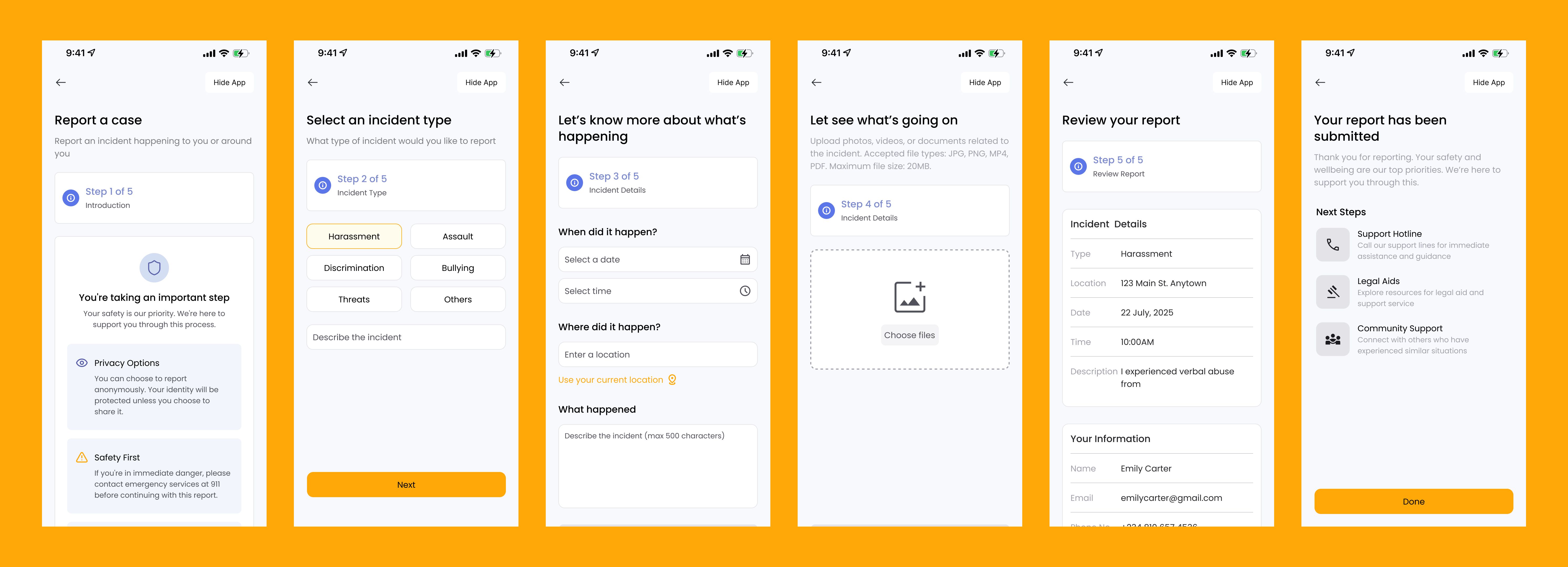
- The UX Challenge: Asking a survivor to write out their trauma in a long form causes drop-offs.
- The Design: A clean, 5-step wizard (Incident Type ➔ Details ➔ Evidence Upload ➔ Review ➔ Submit).
- The Product Decision:
- Users can choose to remain completely anonymous.
- If the system detects immediate physical danger, it prominently suggests calling emergency services (911) before writing the report.
- Progress trackers show users exactly how far they are, making the process feel manageable.
Vetted Professional Network (The Connect Hub)
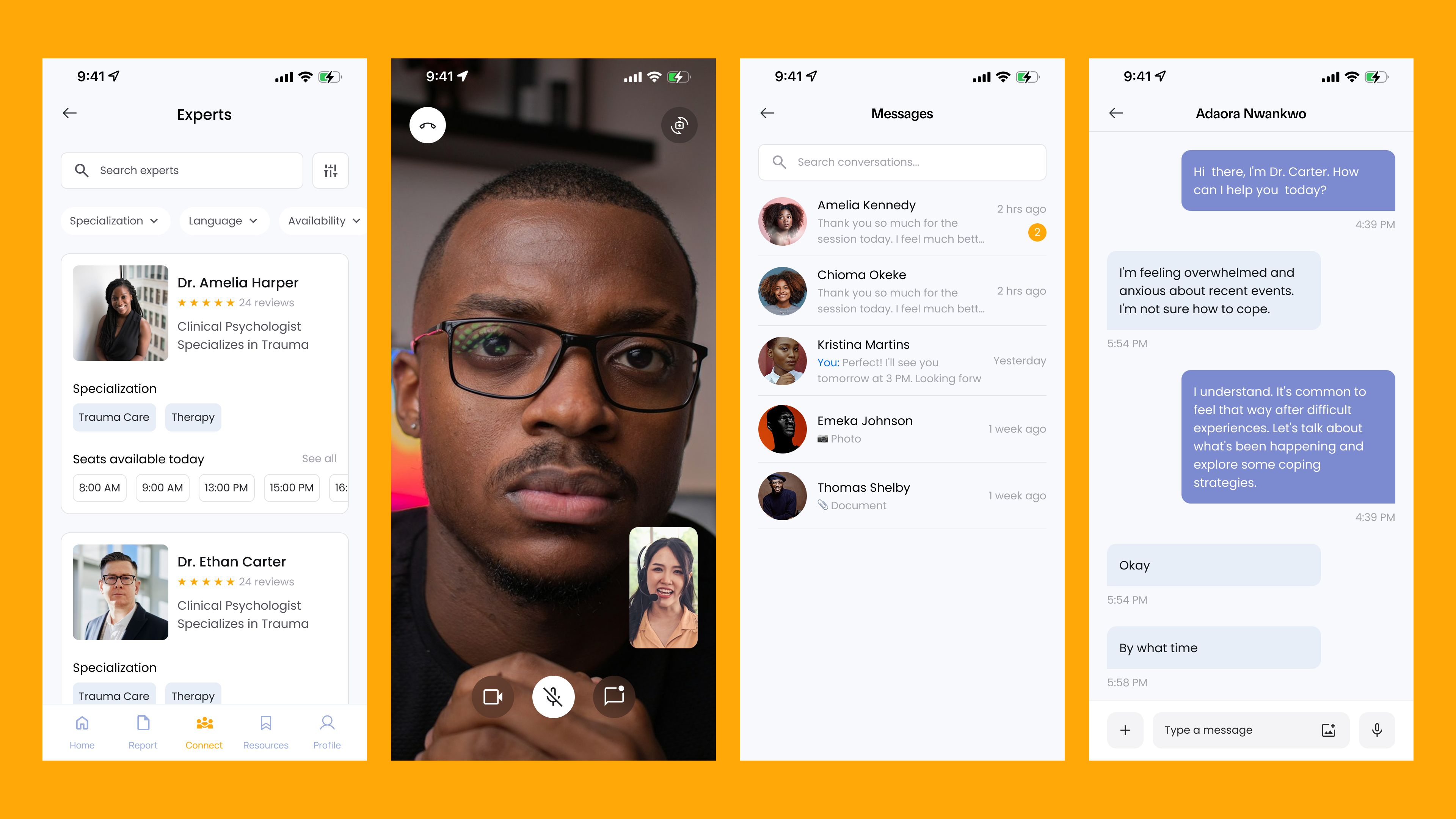
- The UX Challenge: Building trust between vulnerable users and remote professionals.
- The Design: Clear profiles showing reviews, verified badges, licensing details, and pricing. Survivors can select their preferred way to talk: Chat, Video, or Phone Call.
- The Product Decision: Providing choice in communication channels empowers survivors who might be too intimidated to do a video call, letting them start with chat instead.
Admin Vetting Queue & Audit Trails
- The UX Challenge: Ensuring the platform remains a safe place, free of bad actors.
- The Design: An admin dashboard displaying a Verification Queue for experts, alongside an Activity Log that tracks login attempts and system changes.
- The Product Decision: Before an expert appears on the app, admins must review and approve their uploaded credentials (e.g., certificates, licenses). The activity log tracks metadata like IP addresses and device details to safeguard data privacy.
Next Up
Animated Glass Icons →
